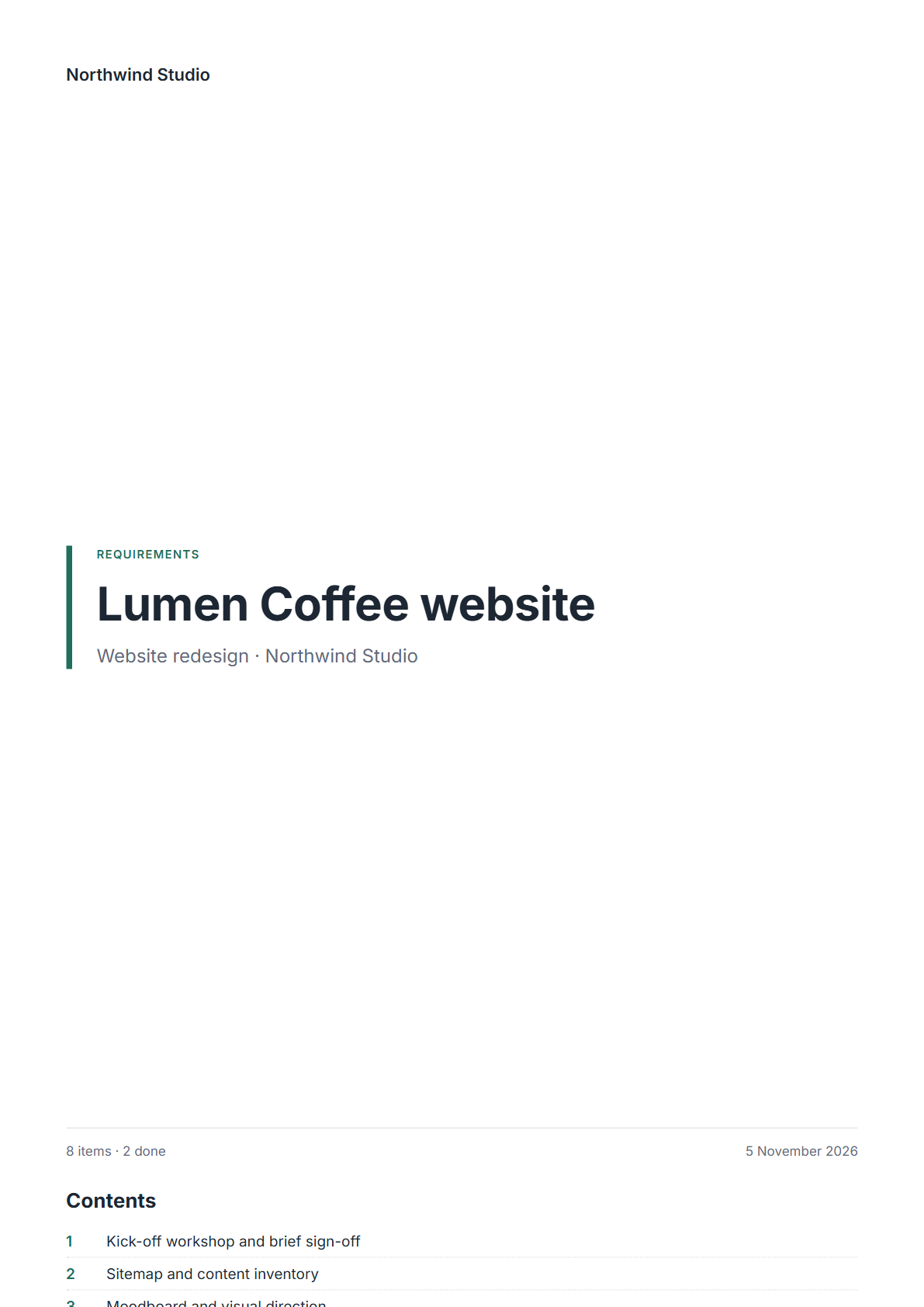
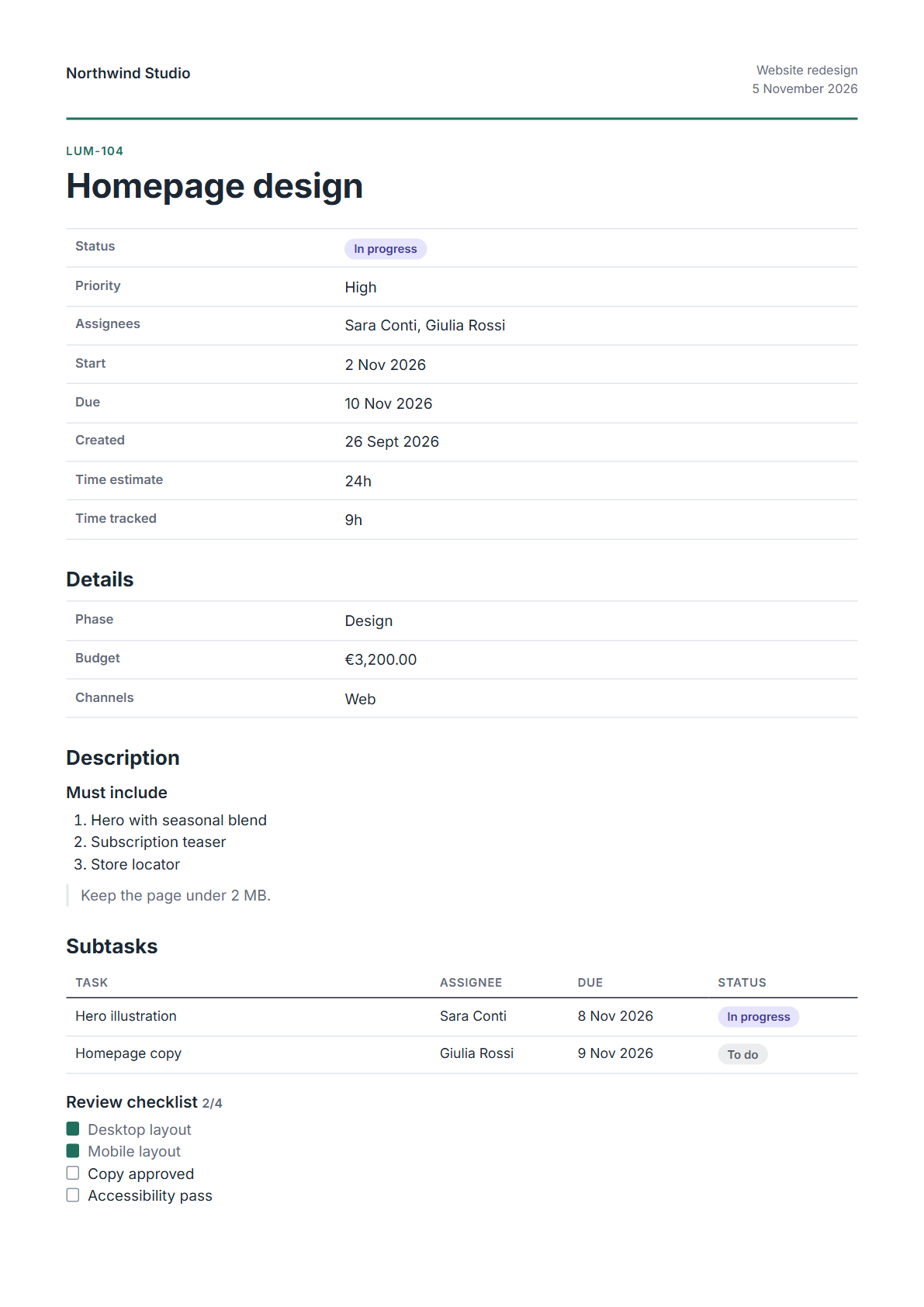
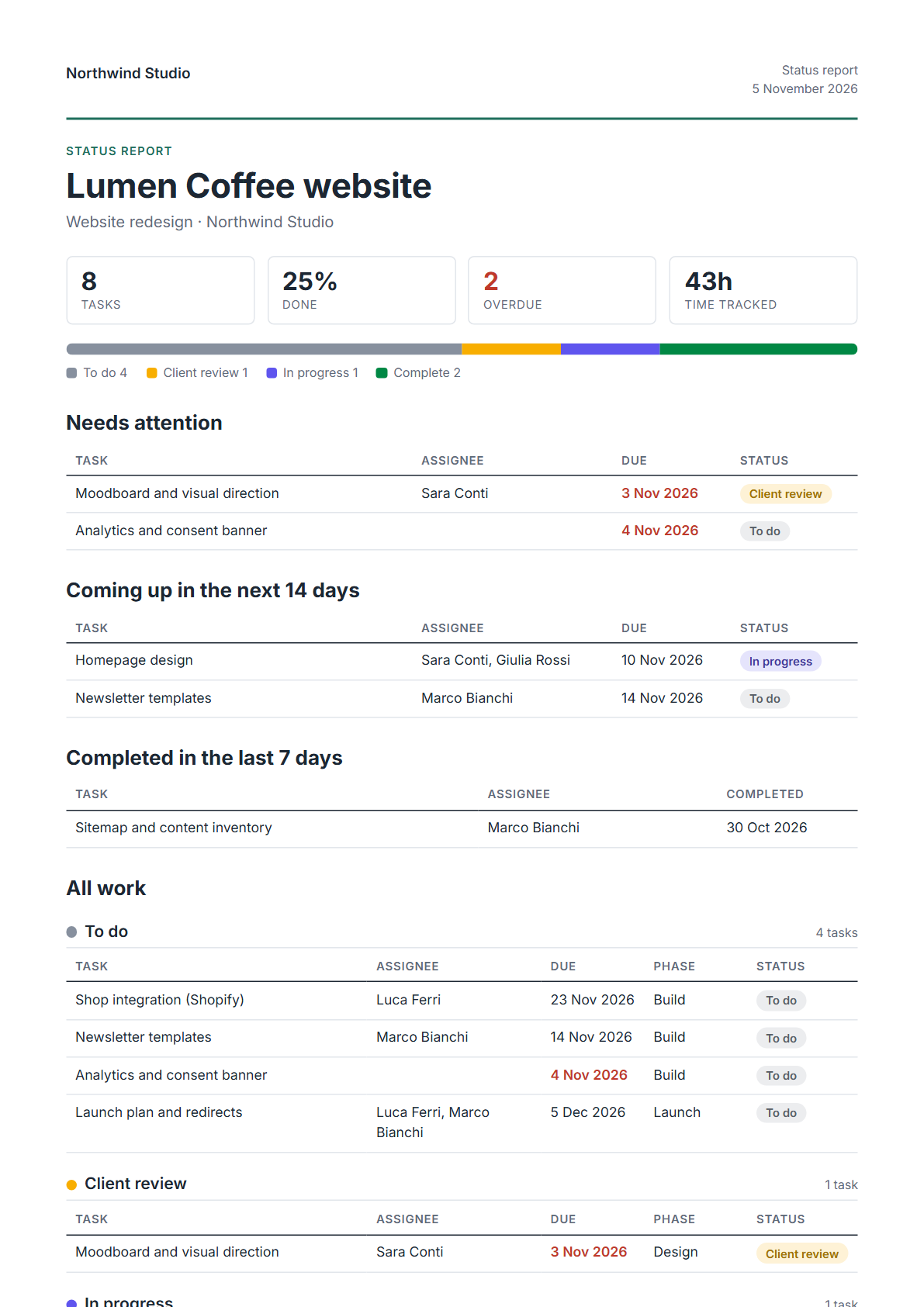
Turn a list, a task or a form response into a branded PDF: a client status report, a requirements document, a project charter. It is attached back to the task, and nobody copies anything into Google Docs.
Works on every ClickUp plan, including Free. Your brand on every page.
These are open requests on ClickUp's public feedback board. Today the answer is a CSV export, a dashboard screenshot, or an afternoon in a slide deck.
Sign in with ClickUp and choose the workspace. Pagewright reads only what you point it at.
Logo, colours and font once. Start from a template for status reports, requirements or task records.
Click the Pagewright button on any ClickUp list or task, or make a document automatically when a task reaches a status such as Approved.
Each one is filled from live ClickUp data: statuses, assignees, dates, custom fields, subtasks and checklists.

Progress at a glance, what needs attention, what is coming up, and all the work by status.

Every task as a numbered section with its description, fields, sub-items and checklists.

One task with every field written out in full: project charters, intake forms, briefs.
Coming next: quotes and proposals, monthly time reports, milestone snapshots, and your own templates.
Beta members get 30% off their first year.
All of them, Free included. On Business plans and above you can also trigger documents from ClickUp's own automations.
Pagewright runs in the EU. Generated files are deleted from our storage after 30 days; the copy attached to your task stays in ClickUp. Your ClickUp token is encrypted at rest.
Your logo, colours, font and footer apply to every template today. Fully custom templates are on the way for beta members first.
No. Pagewright is an independent product by Code Pencil, built on ClickUp's public API.
A monday.com version is planned after the ClickUp launch, built on the same engine.
Join the beta below. We are onboarding a small group of teams and agencies personally.
We are inviting a small group of ClickUp teams and agencies to shape the first templates. Tell us which document you would automate first.